Field Team Operations Platform

Run Field WorkforceOperations OnRecords You Can Trust

CrewForce360 gives field teams one reliable record of the work: who was on site, which project they worked, what changed, who approved it, and what payroll can trust.

Verify the worker, site, time, and assigned project
Give supervisors records they can approve while the work is fresh
Catch breaks, leave, and exceptions before they hit payroll
Export structured attendance data without spreadsheet cleanup
Login to App
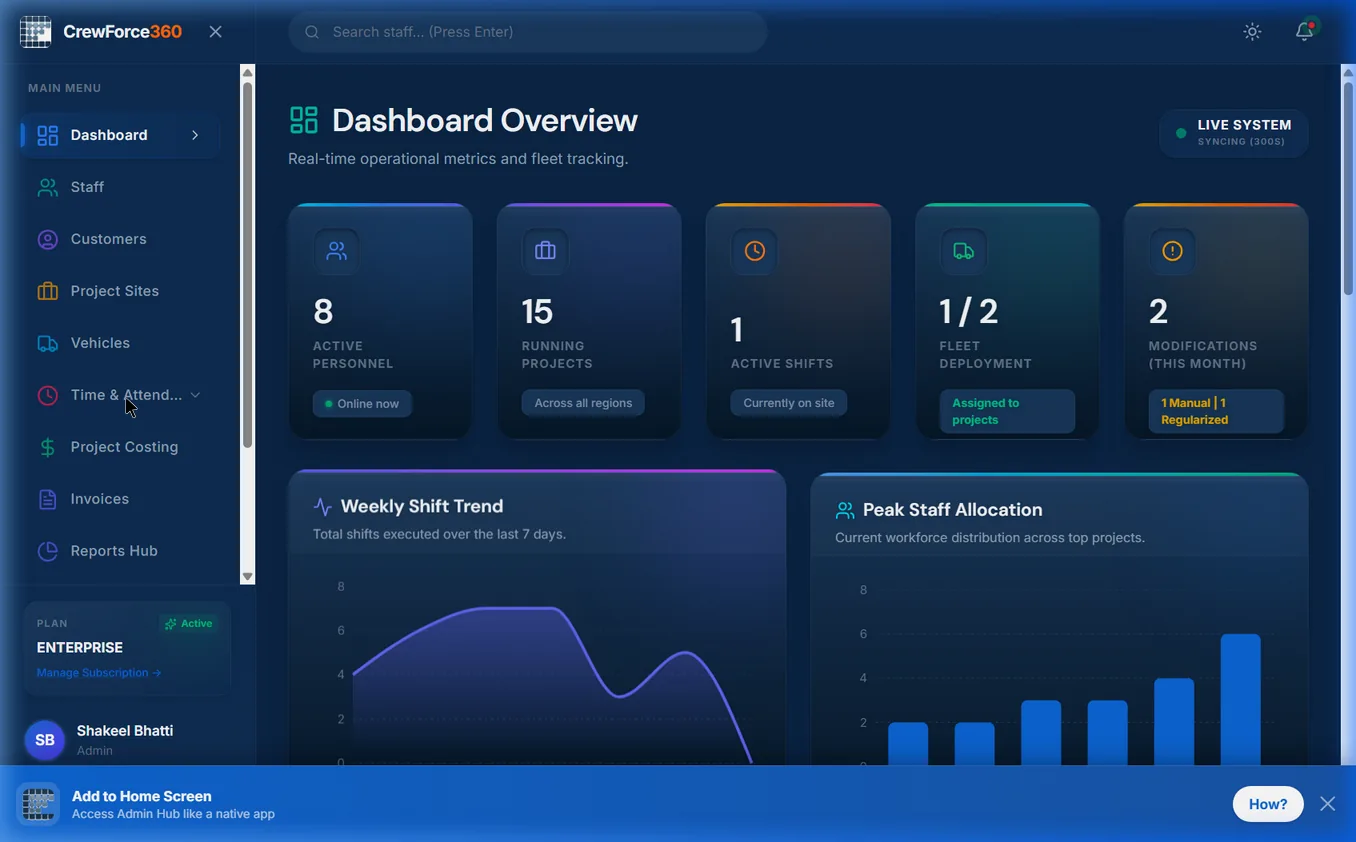
CrewForce360 admin dashboard showing real-time attendance overview, active staff, project assignment, and workforce deployment metrics
Why CrewForce360

The Gap Between Field Reality and Clean Payroll Records

Field teams need more than punches and timesheets. CrewForce360 connects attendance, projects, approvals, exceptions, and payroll handoff in one operational record.

Verified Attendance

Know exactly who checked in, where, and when — GPS location, geofence rules, and selfie capture confirm every punch at the source.

Project-Linked Labor Tracking

Every shift ties to a customer, project, and supervisor. Your field records carry the context payroll, billing, and operations all need.

Cleaner Payroll Preparation

Resolve breaks, leave, and exceptions before they reach payroll. Export structured records your payroll team can actually use — no spreadsheet cleanup.

Better Field Oversight

Supervisors and admins see who's on site, which projects are active, and where attendance gaps exist — in real time, from any device.

Platform Features

Everything Field Operations Need

Workforce administration, attendance control, project operations — organized and ready to use.

GPS-Verified Check-ins
Selfie Validation
Geofence Enforcement
Project-Linked Shifts
Break & Overtime Tracking
Attendance Policies Engine
Missed Punch Regularization
Live Admin Dashboard
Role-Based Access Control
Attendance Monitor
Supervisor-Scoped Views
Full Audit Trail
In-App Notification Center
Vehicle Fleet Management
Driver Trip Management
Project Costing Engine
Customer & Client Management
Invoice Generation
Roster & Schedule Planner
WhatsApp & Email Notifications
Payroll-Ready Exports
Leave & Holiday Manager
Attendance Regularization
Reports & Analytics Hub
Document & Compliance Tracking
Staff PWA Portal
Google Sign-In
Brute-Force Protection
OTP Password Reset
Analytics Dashboard
Dark & Light Theme
Modification Alerts
Backup & Data Export
PDF Report Generation
Billing & Subscriptions
Client Portal
Staff Document Download
Shift Announcement Center
Equipment & Asset Tracking
Shift Checklist Templates
FAQ

Field Workforce Operations Questions

Clear answers for teams evaluating CrewForce360 as the trusted record layer for field work.

What does CrewForce360 help field operations teams manage?

CrewForce360 helps teams manage the operational record around field work: who checked in, where they worked, which project or customer the shift belonged to, what exceptions occurred, who approved the record, and what data is ready for payroll or reporting.

Is CrewForce360 only a time and attendance system?

No. Time and attendance is one part of the platform, but CrewForce360 is built around field workforce operations. Attendance, projects, supervisors, approvals, exceptions, leave, costs, client visibility, and payroll-ready exports all connect to the same record.

How does CrewForce360 make field workforce records more trustworthy?

Records are strengthened at the source with GPS location, geofence rules, selfie identity checks, project linkage, supervisor review, and audit trails. That gives operations, payroll, billing, and clients a clearer basis for decisions.

Who is CrewForce360 built for?

CrewForce360 is built for project-based field teams in construction, manpower deployment, facilities management, security, maintenance, field service, events, and IT services where workers move across sites and records must be defensible.

Take Control of Field Team Operations.

See how CrewForce360 helps your team manage field work from check-in to approval to payroll-ready export.

Login to App